Appearance
User Preferences
Got to Settings>User Preferences. Be sure to scroll down to see everything.
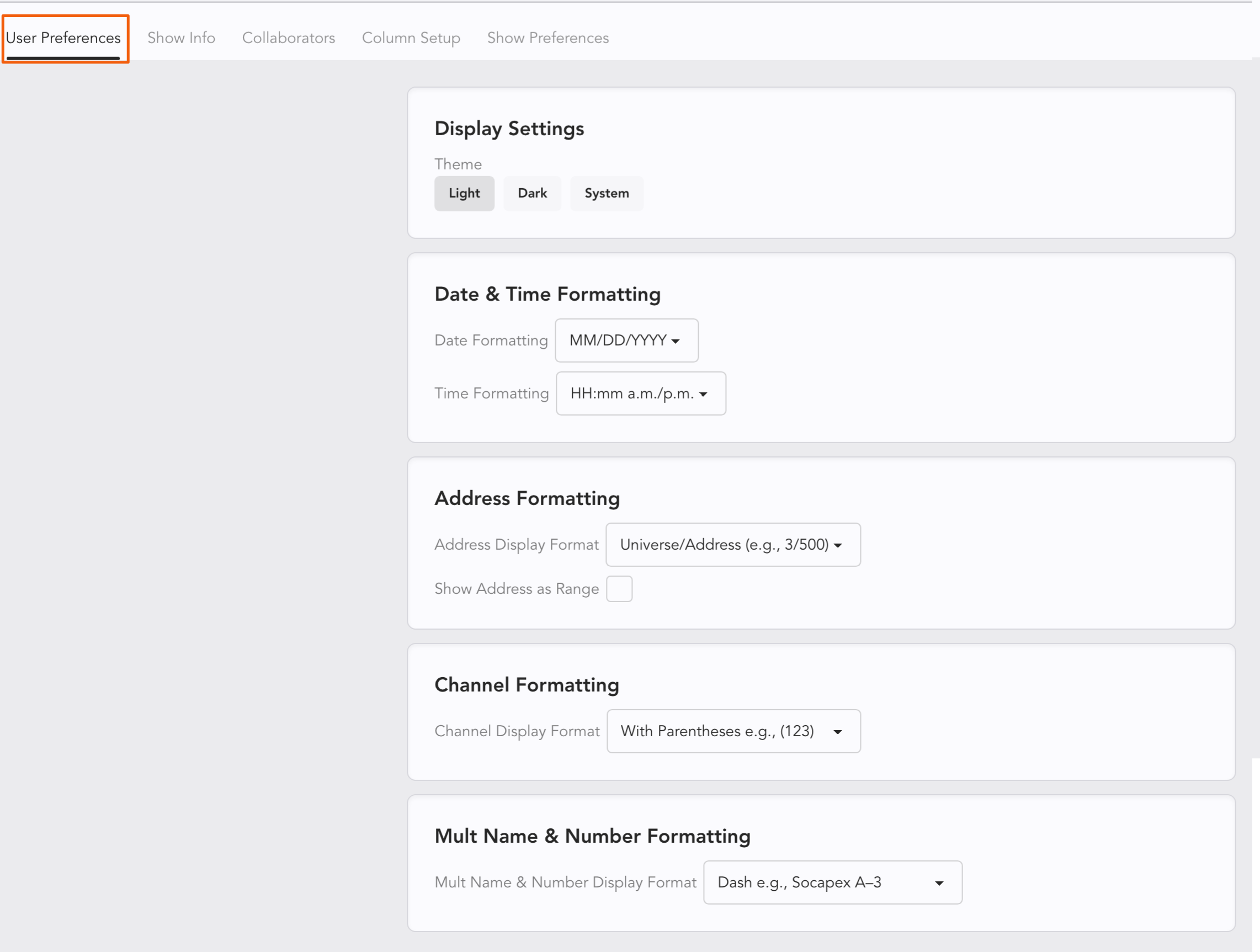
Display Settings-- choose between Light, Dark or System for your color preference.
Date and Time Formatting-- choose your preferred formatting. This formatting will be used on your printed Paperwork as well.
Address Formatting-- Choose how universe and address data is separated. Very helpful when exporting. This can also be accessed by right-clicking the Address Column Header. Notice the tick box for show Address as Range. This will show the range rather than just the starting address of each device. Example 1/1-16.
Channel Formatting-- Choose to have your Channels with parentheses or without. This is very important to take note of when you are exporting to CSV, as it tends to make these exports readable by a wider range of applications.
Mult Name & Number Formatting-- Choose your separator between Mult name and number. Options include -, # and ().
Worksheet Settings
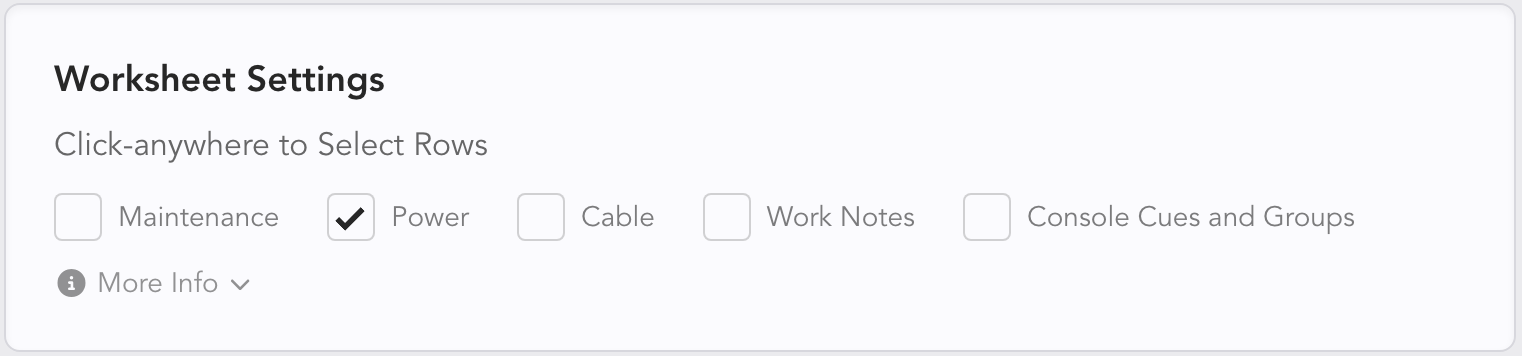
Scrolling past Mult Name and Numbering Formatting, you find Worksheet Settings. This area allows you to choose the behavior of row selection that happens when you click on a Device or other item. You can opt in to select items in Maintenance, Power (on by default), Cable, Work Notes, and/or Console Cues and Groups.
Auto-Archive
Scrolling down in User Preferences reveals Auto-Archive.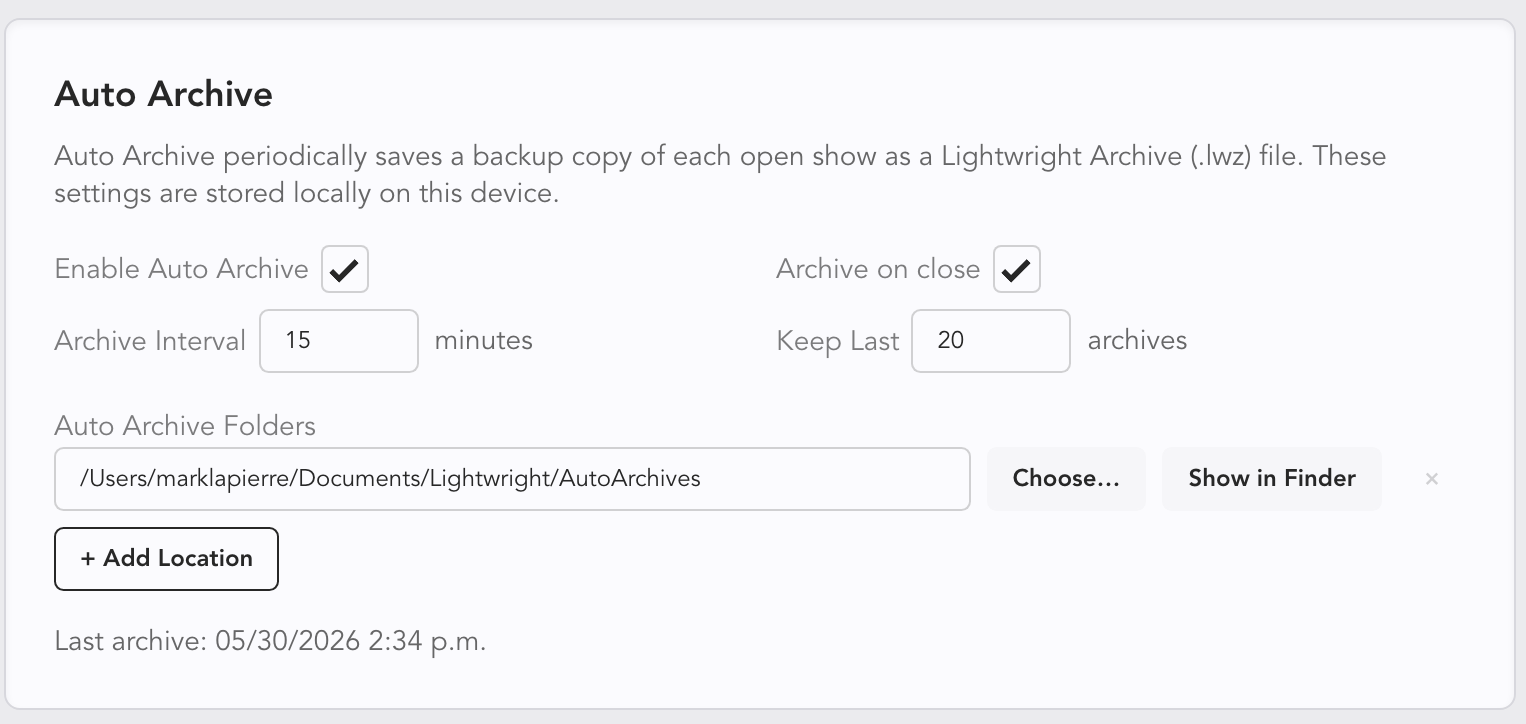 This is a function that creates an archive automatically while you work. You can enable and then configure how often, where and when the show file gets archived. You can also configure how many archives Lightwright stores.