Appearance
Paperwork Configuration Tabs- Descriptions
Though most things in the Paperwork Configuration Tabs are self-evident, there are a few things that may benefit from some description.
WARNING
You must Save changes in your paperwork or lose your formatting!
Layout & Borders
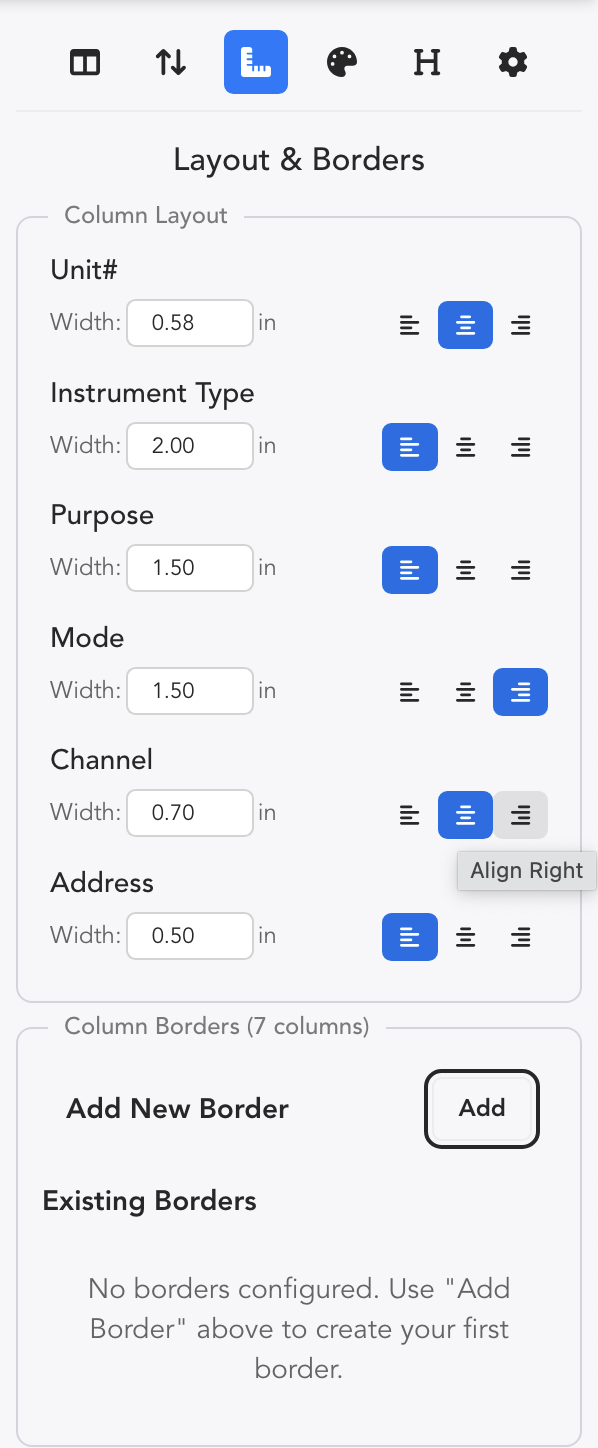
- Column widths are easy to customize here.
- Left, Center and Right Justification per column can be configured.
- Add New Border opens a window that allows you to add vertical dividing lines between Columns of your choosing.
Style>Color
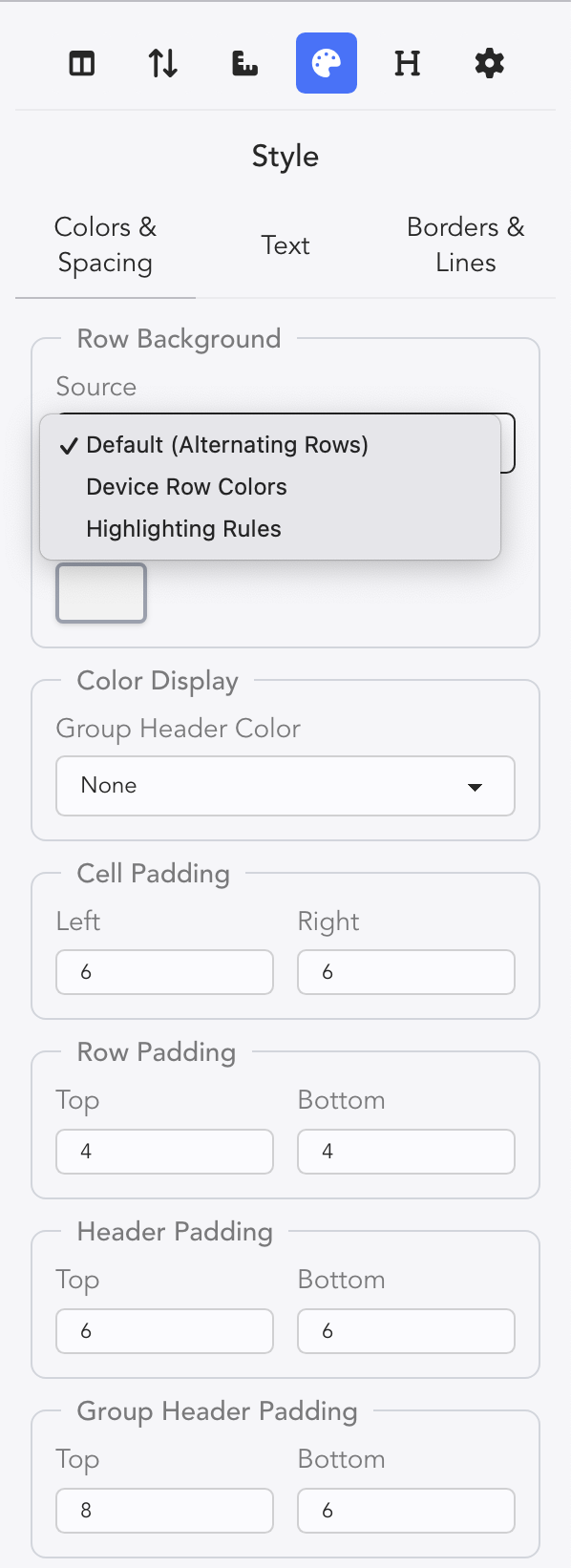
While you can choose a general color background for Alternating Rows, you can also choose to make use of your Device Row Colors or Highlighting Rules when formatting your paperwork.
Group Header Display
If you have assigned a color to a Group Header such as a Position, you can choose how that color can be added to your Paperwork.
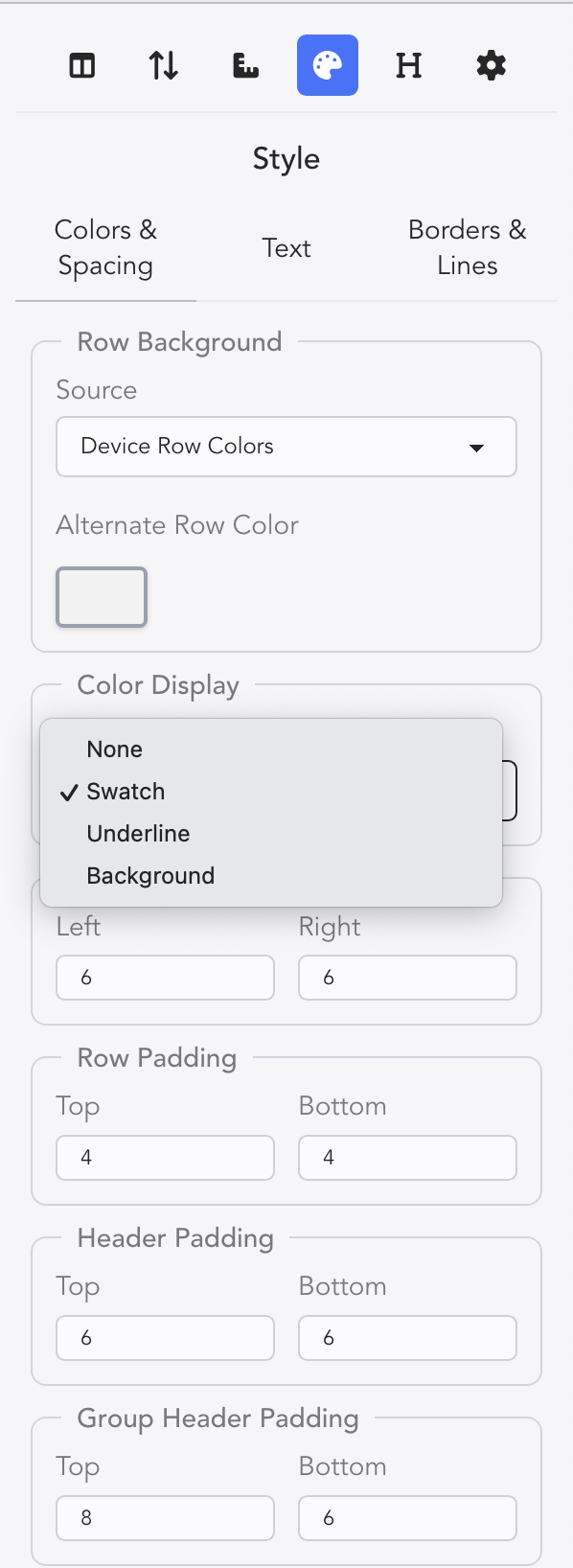
- Swatch-- which adds a square of the color before the Group Header.
- Underline-- which underlines the Group Header.
- Background-- which colors the background of Group Header.
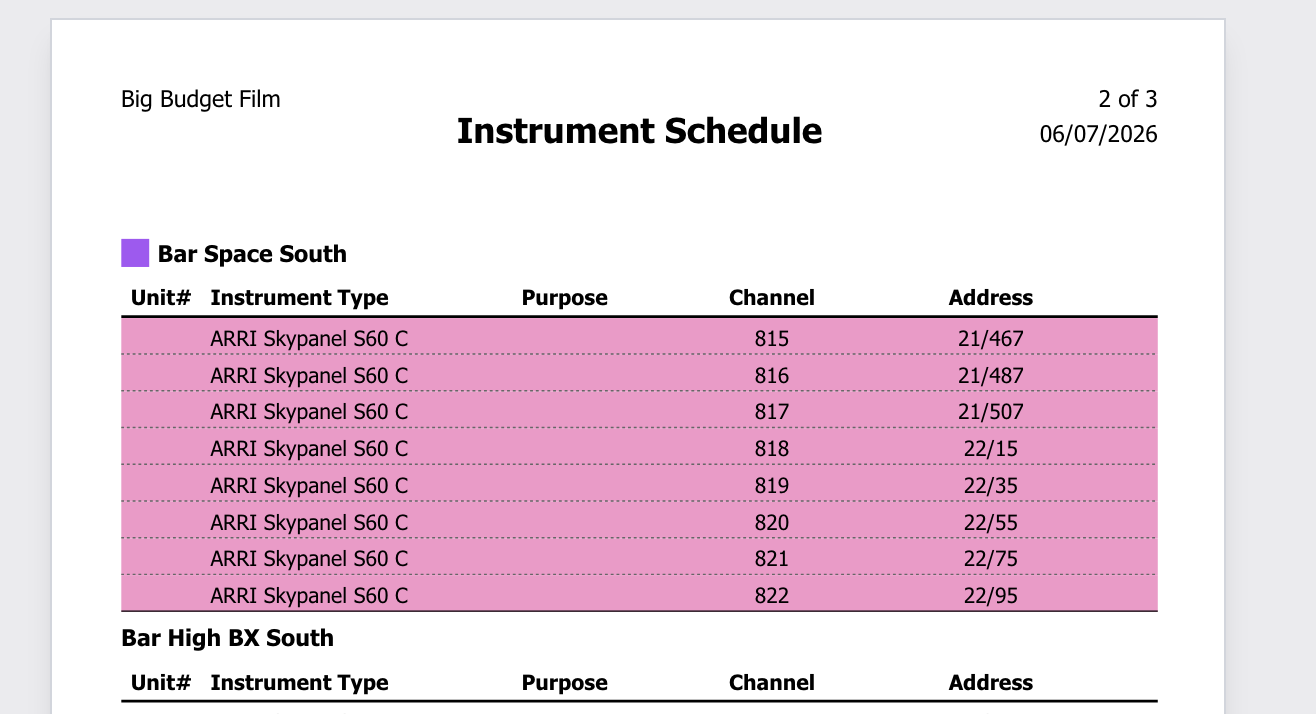
Here is an example of Swatch assign to the Group Header with pink row devices:
Style>Text
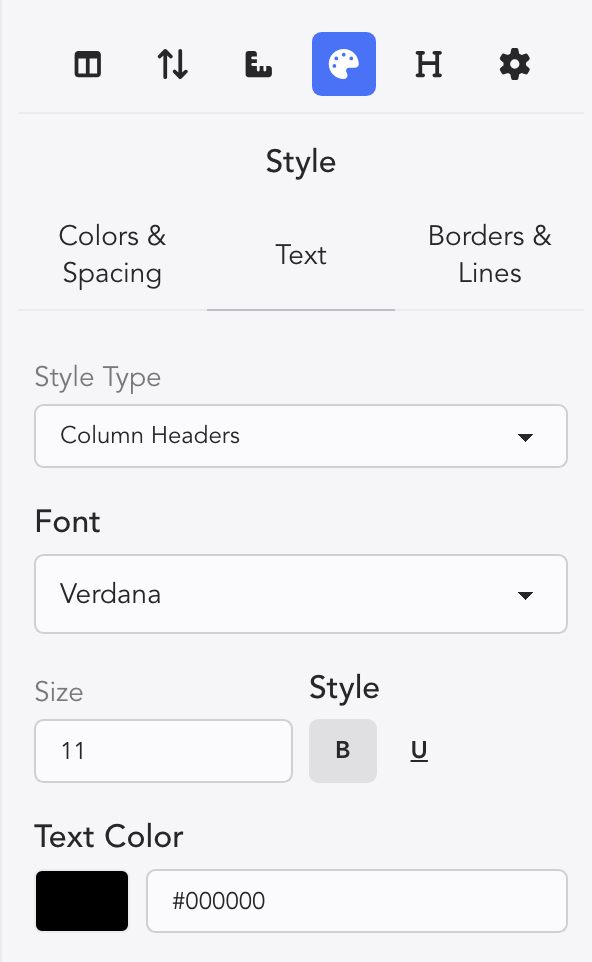
- Style Type is a pull-down menu with three options:
- Column Headers-- which focusses text changes on the Column Headers.
- Primary Property-- is the column that the paperwork is sorted by Channel, Position, etc. Text changes will affect those properties.
- General Property-- is the rest of the text that remains.
- Font is a pull-down of options to choose from.
- Text Color
Style>Borders & Lines
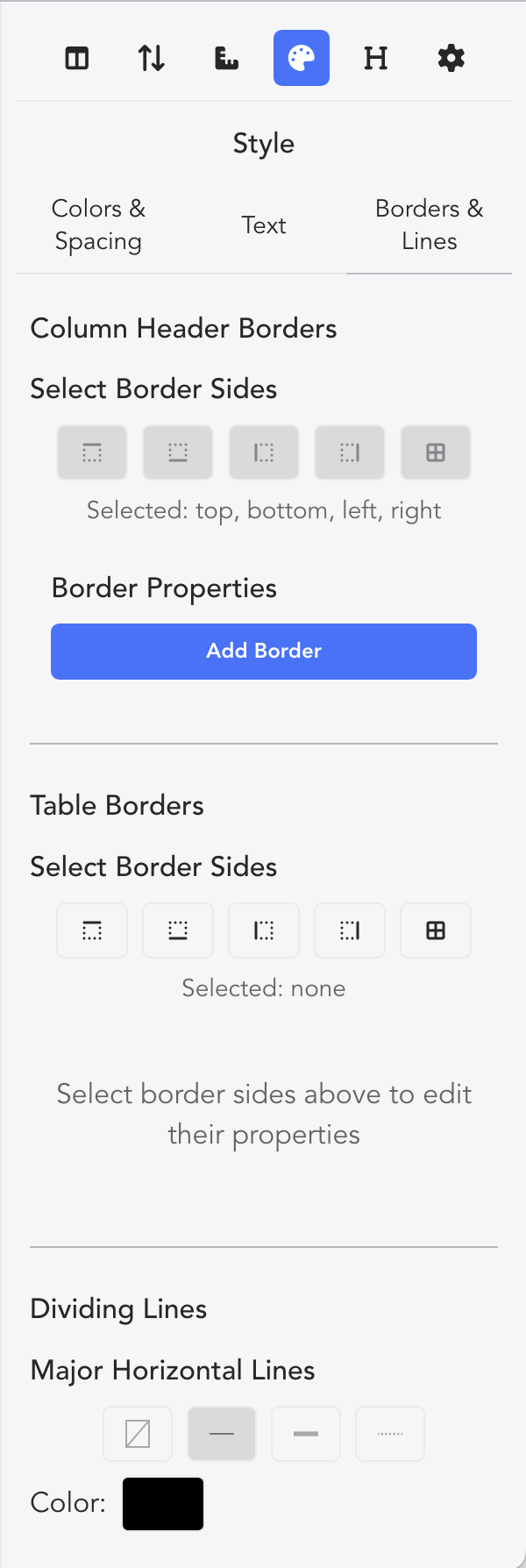 Allows customization of the delineation lines in your Paperwork.
Headers
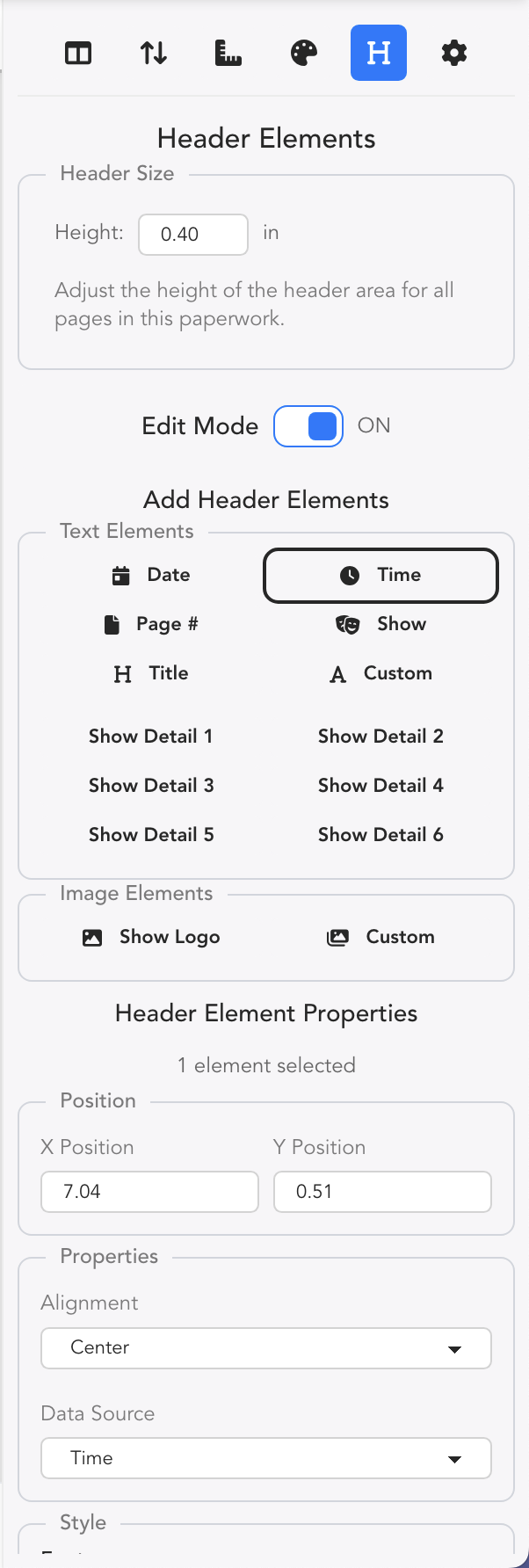
By turning Edit mode on, you can alter any heading item. Add or remove any Text Elements that you wish. Two things to point out:
Time displays the current time when you hit Print.
Lightwright supports adding Custom Images beyond just the Show Logo.