Appearance
Configuration
Show Preferences
Go to Settings>Show Preferences. Be sure to scroll down to see everything.
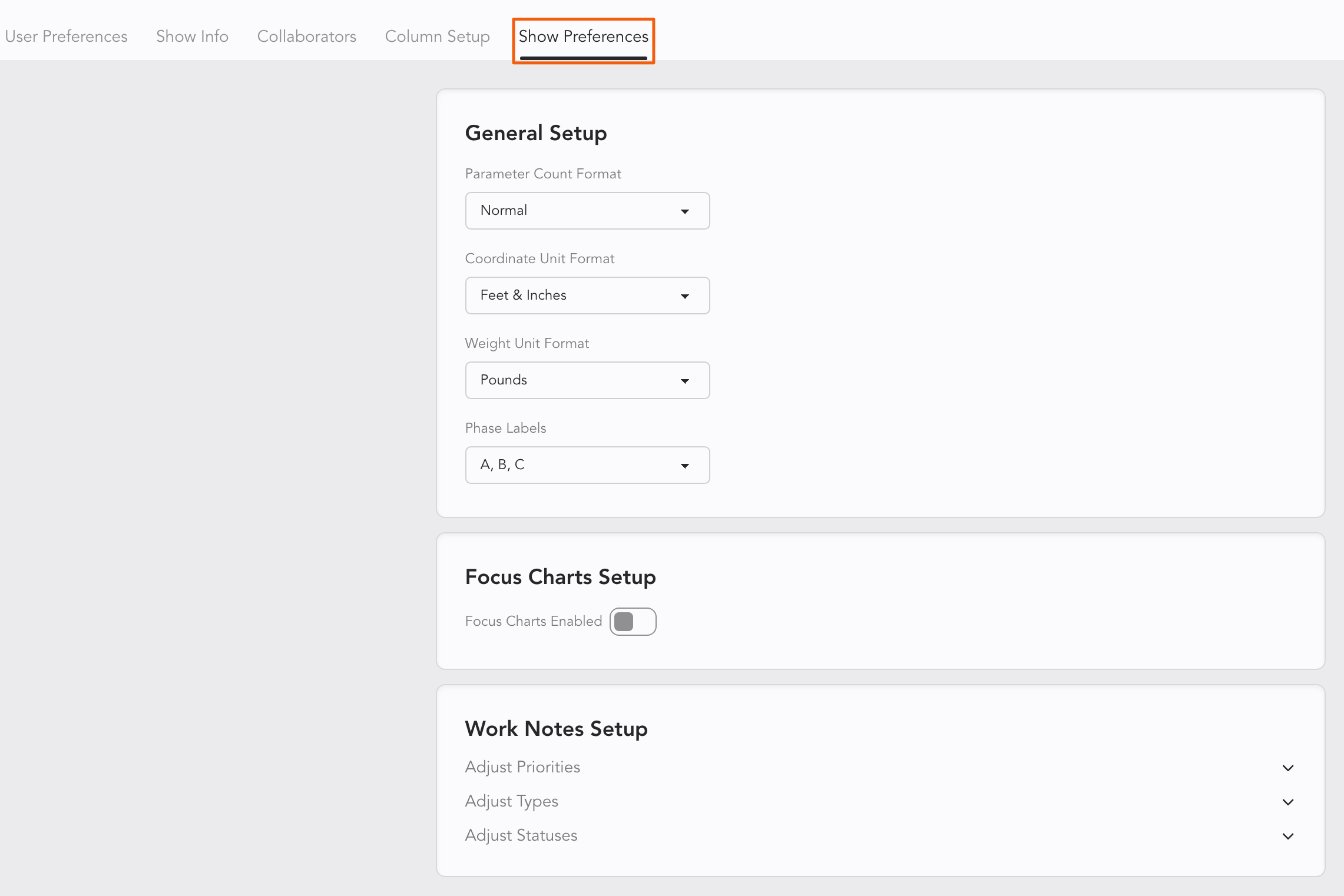
Options:
Parameter Count Format-- the parameters are counted 1 to 1 in the lower right of the Worksheet, counting all of your parameters as you work. But MA users have a different parameter count which counts 16 bit (or above) controls of a single parameter instead of two or more. Choose GrandMA from the pull-down to add an MA Parameters count to the lower right hand of your Worksheet.
Coordinate Unit Format allows you to choose between Feet and Inches, Inches, Meters and Millimeters.
Weight Unit Format-- choose between pounds or kilograms.
Focus Charts Setup-- this must be turned on to use Focus Charts. When toggled, there is a requirement to add an image that will serve as your groundplan in your Focus Charts. Touch Update Default Background to start with Focus Charts. File Requirements: Lightwright supports PNG, JPG, WEBP, BMP, GIF, TIFF. All images will be resized by Lightwright to have a max long dimension of 2048, and a max size of 5MB.
Work Notes Setup-- You can rename options in Priorities, Type, and Statuses. Not all items may be altered, those that cannot are grayed out.
Show Colors
Scroll down in this view to see Colors.
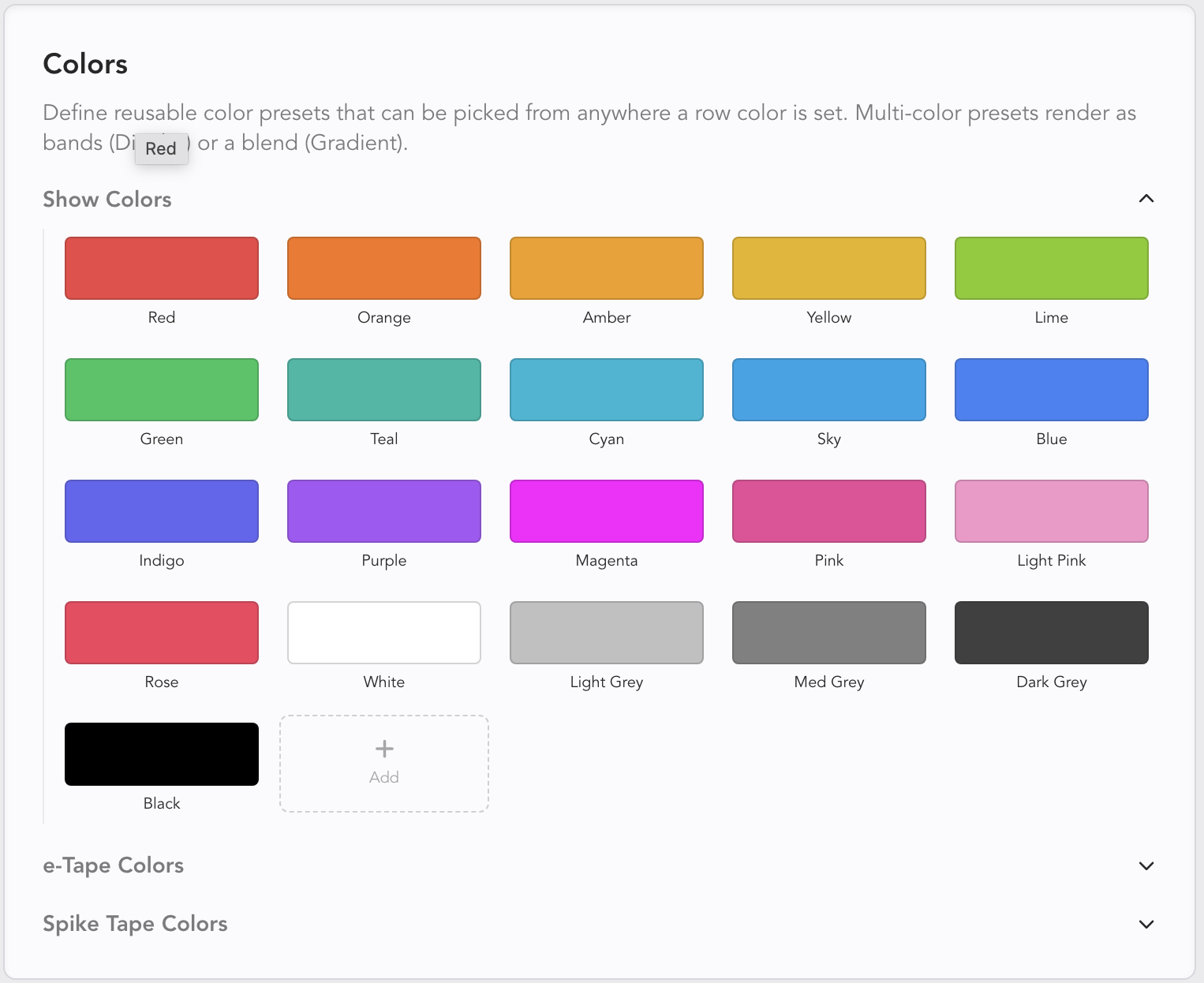
Here you can redefine or add new colors to your Show.
Click + Add at the bottom to add a new color. If you wish to have more than one color, you can choose between Divider or Gradient. Click Save when done.
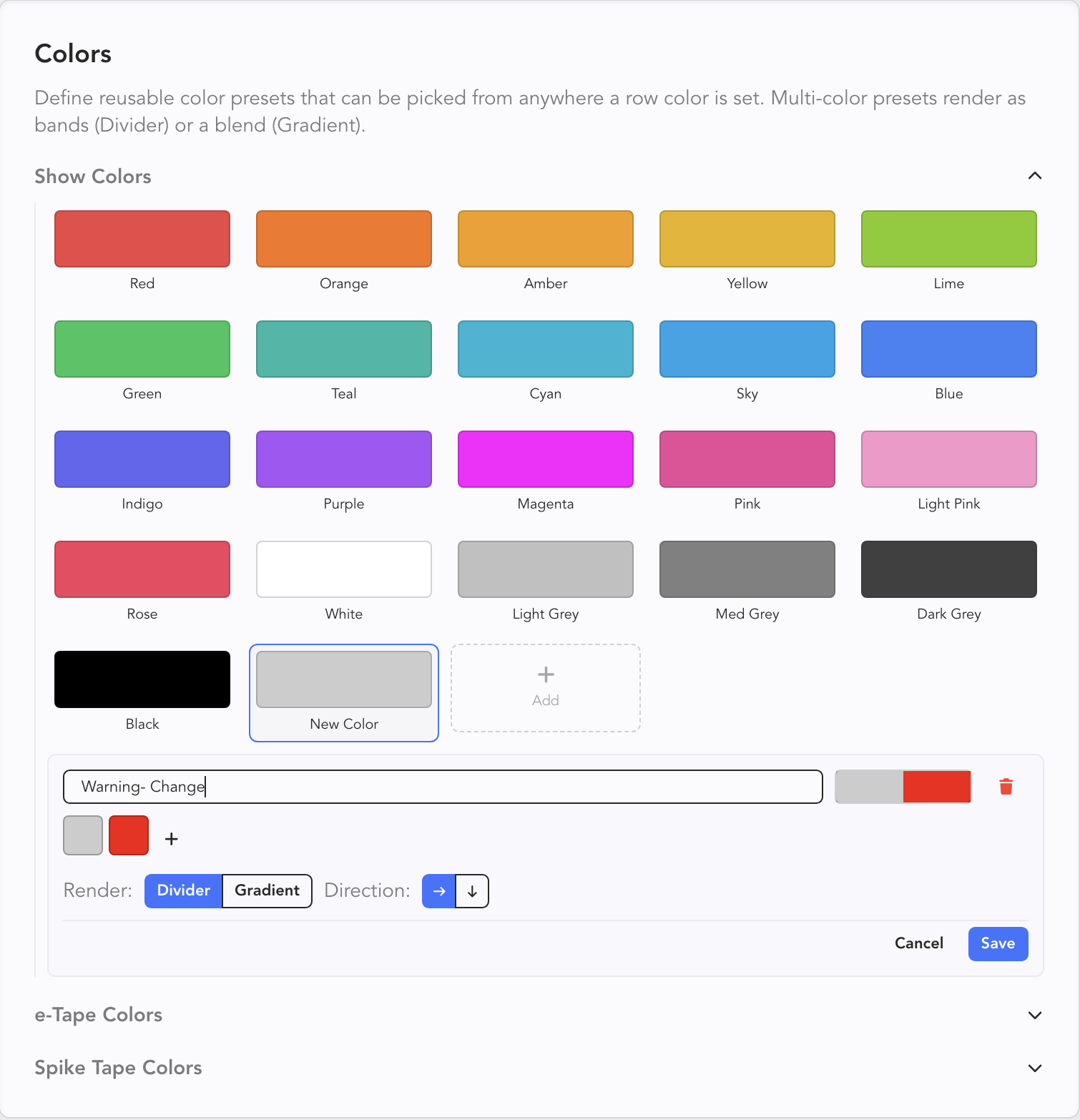
Warning
Colors in Show Preferences are references. This means if you edit the standard red here when you've already used it in your show, that color will change everywhere you've used it. This functions like a palette in a console or perhaps a symbol in drafting. Change it in one place (Show preferences) and it changes everywhere.