Appearance
Live Count
A real-time Device count tab is available at all times. This new feature includes some hidden gems.
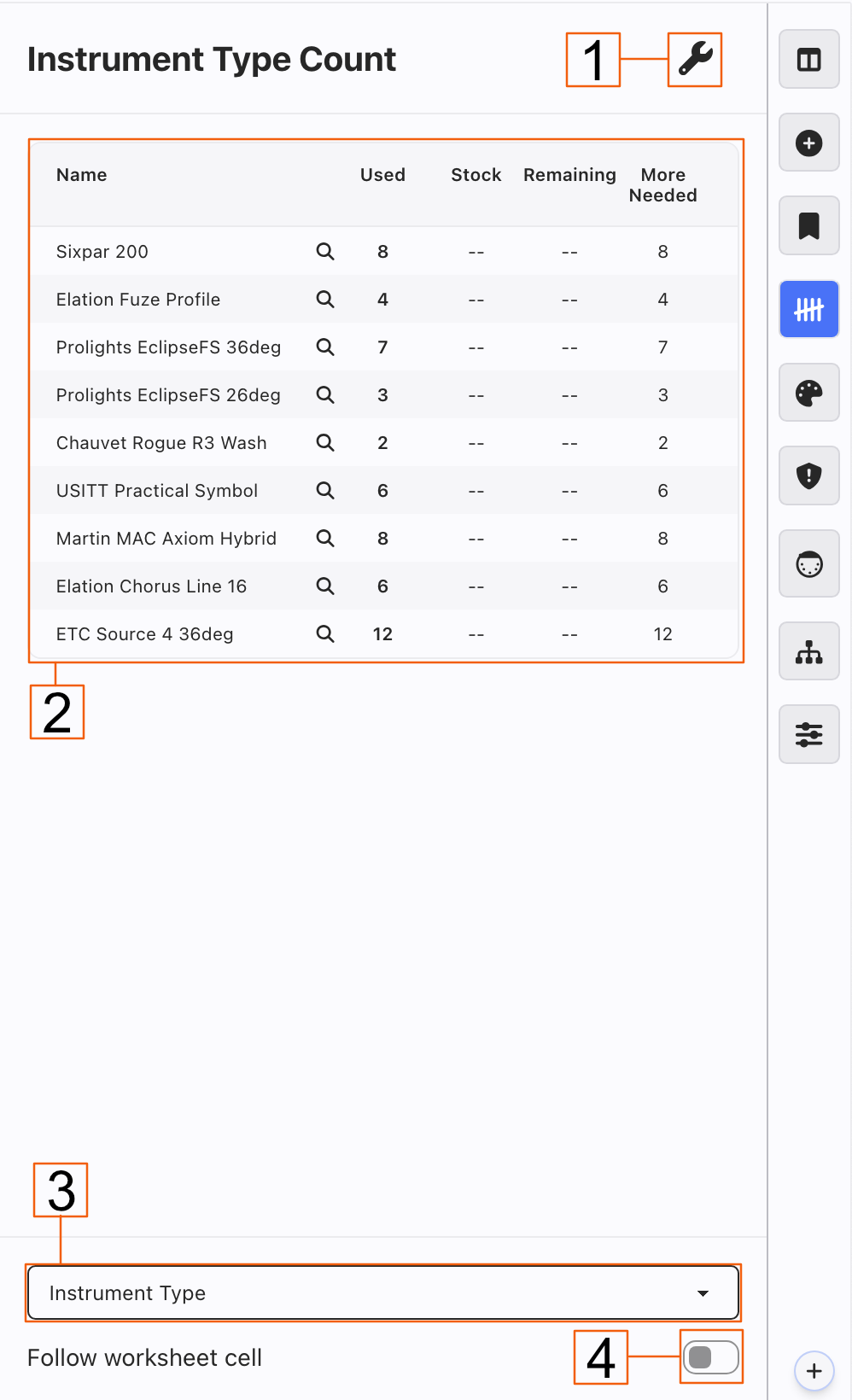
Go To Maintenance instantly pops you to the Maintenance of your current category.
Display counts of any category of data. Stock numbers are easily added in Instrument Type Maintenance for example.
Choose from the pull-down what category of data you wish to view.
Toggle this to have Live Count follow the data of whatever cell you have clicked on.
Filtering in Live Count
Example: Touching any Magnifying Glass for an Instrument Type filters your Worksheet to show you those lights instantly.

Release the Filter either by pressing Esc, applying a Preset, pressing the red X in the upper left-hand corner of the Worksheet, or removing the filter from the lower left-hand corner of the worksheet.