Appearance
Paperwork Template Editor
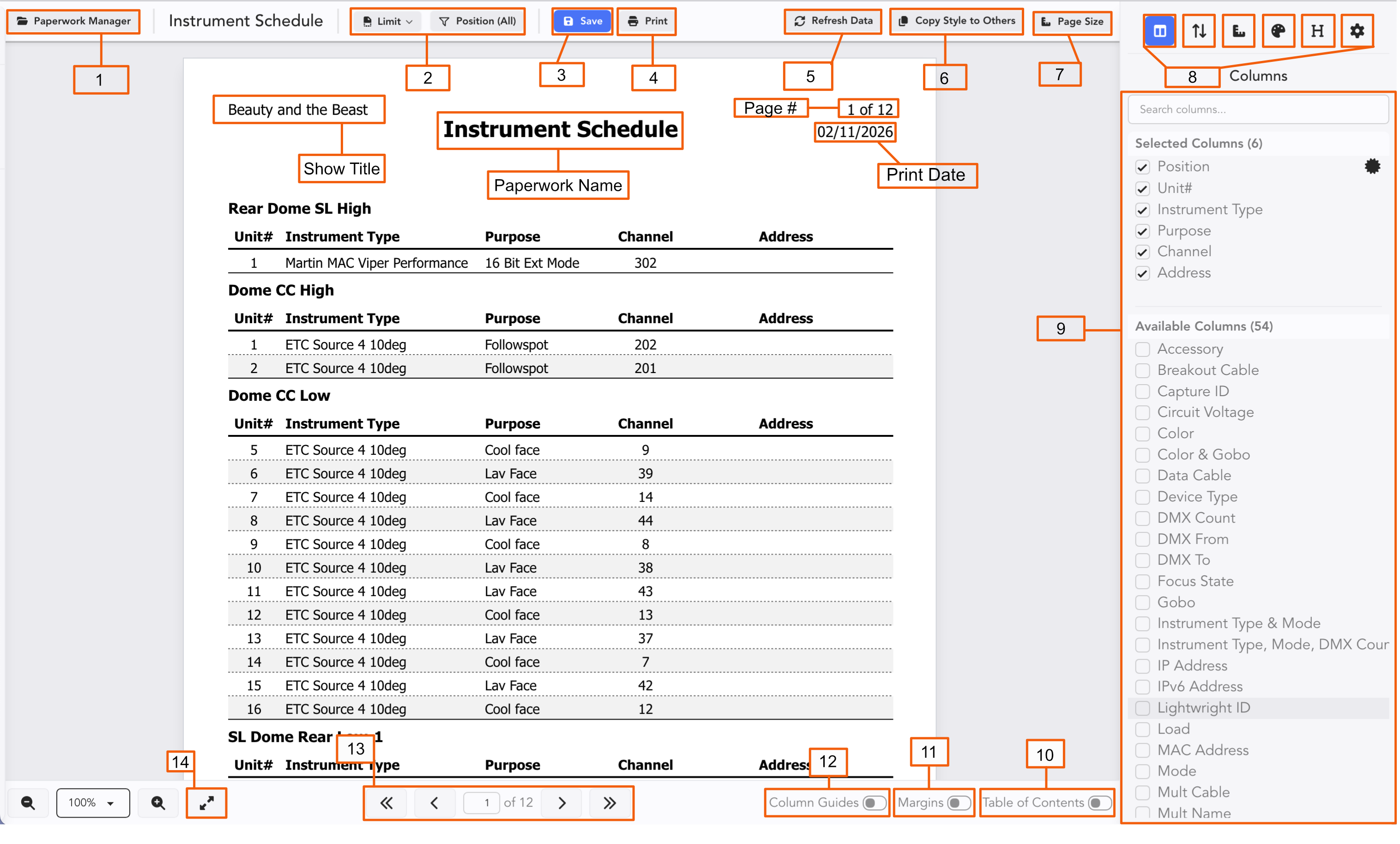
Toggle the Paperwork Manager open or closed.
Limiting and Filtering of your Devices for each Paperwork instance.
Save-- it's important to save changes!
Print-- both to your Printer or to PDF.
Refresh Data-- this will turn yellow if a Collaborator has updated your Worksheet, this button will turn yellow indicating updates await.
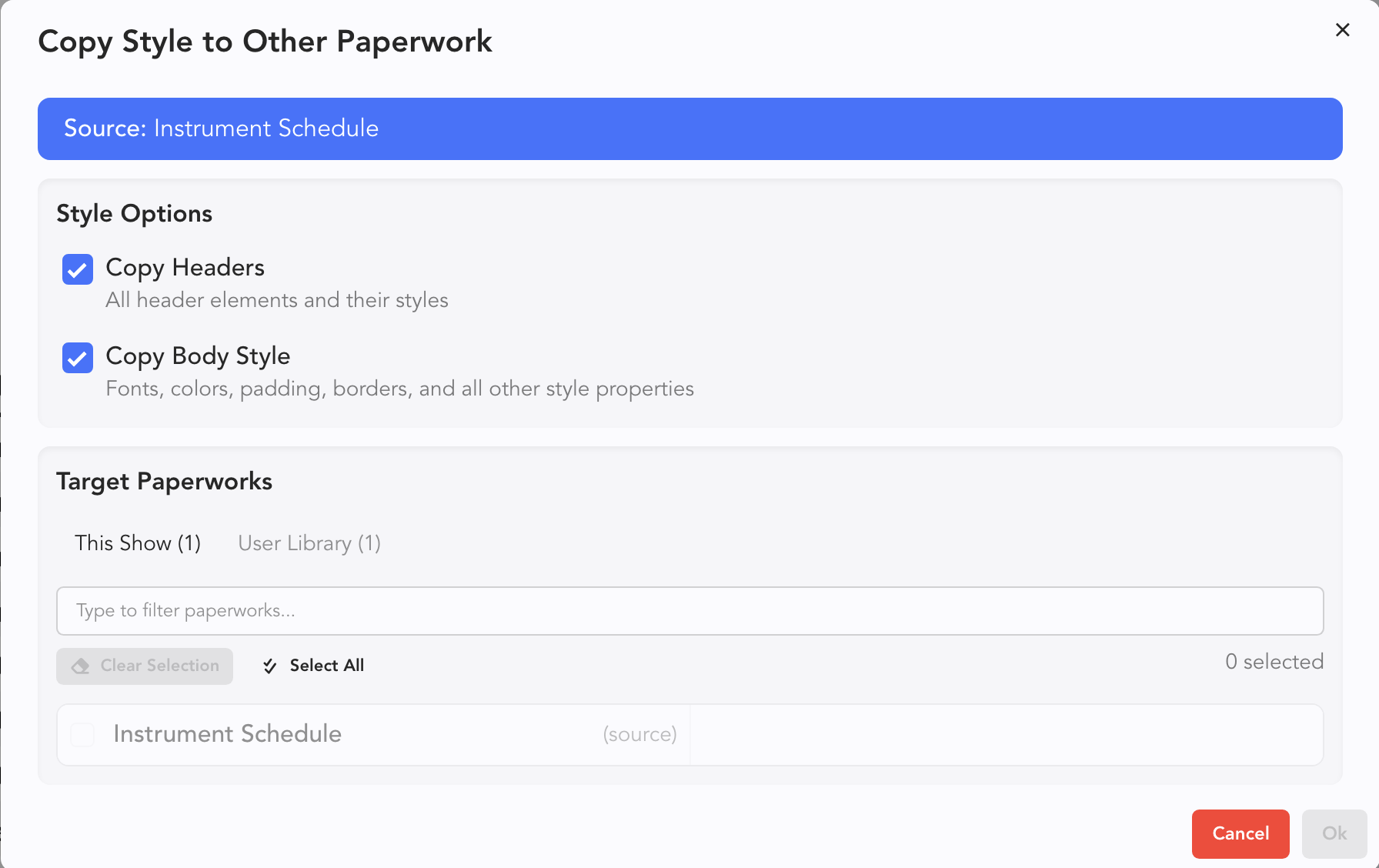
Copy Style to Others opens a popup. Select what you wish to copy over and the destination and press Ok.
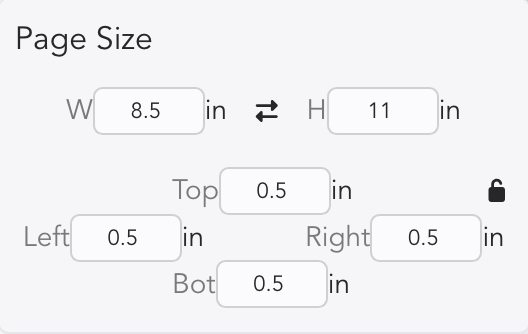
- Page Size button toggles a popup where you can view or edit your page. The lock icon prevents accidental changes.
- Paperwork Configuration Tabs
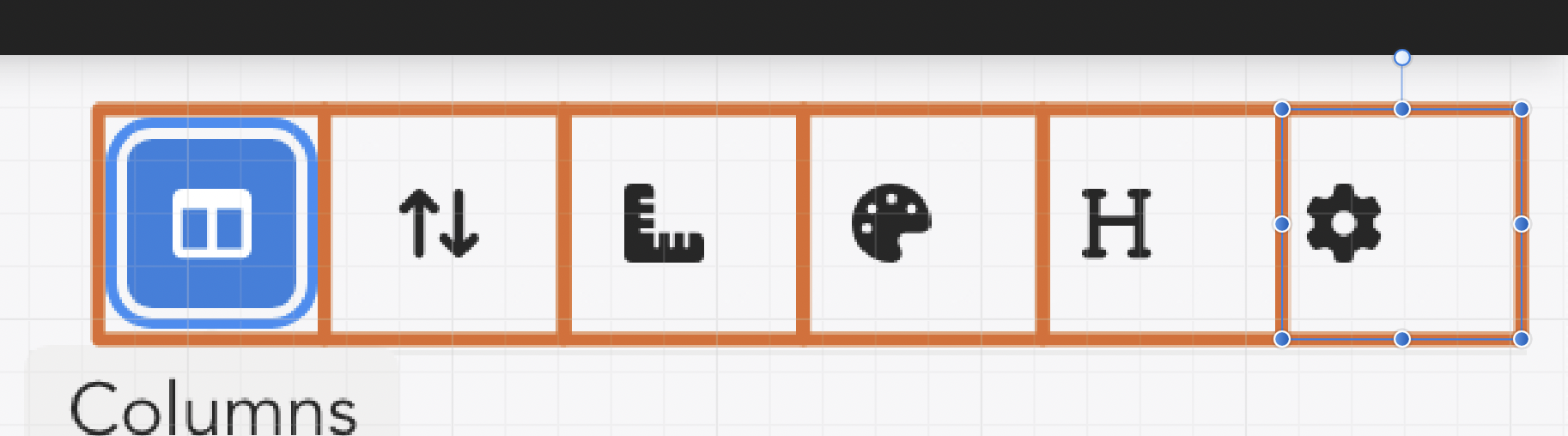
	A. Columns- include, exclude and reorder columns from your paperwork.

	B. Sort Order

	C. Layout & Borders

	D. Style-- which has sub tabs for Colors and Spacing, Text and Borders
	   and Lines.

	E. Headers

	F. Settings- Settings just for Paperwork
Configuration Side Tab Options
Toggle to add Table of Contents for editing.
Show Margins allows you to graphically change your Margins.
Show Column Guides allow you to graphically edit column widths.
Page Navigator
Zoom to fit page