Appearance
Cable Worksheet
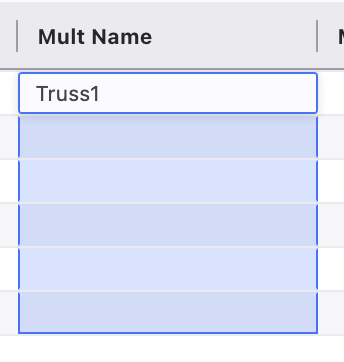
You may want to work with Cables in the Worksheet. Let's say you want to add a multi to some fixtures in the Worksheet. Make sure your Mult Name and Number Columns are visible. Next, select the Mult Name cells for your lights and type a name.
When you press Enter, a popup appears.
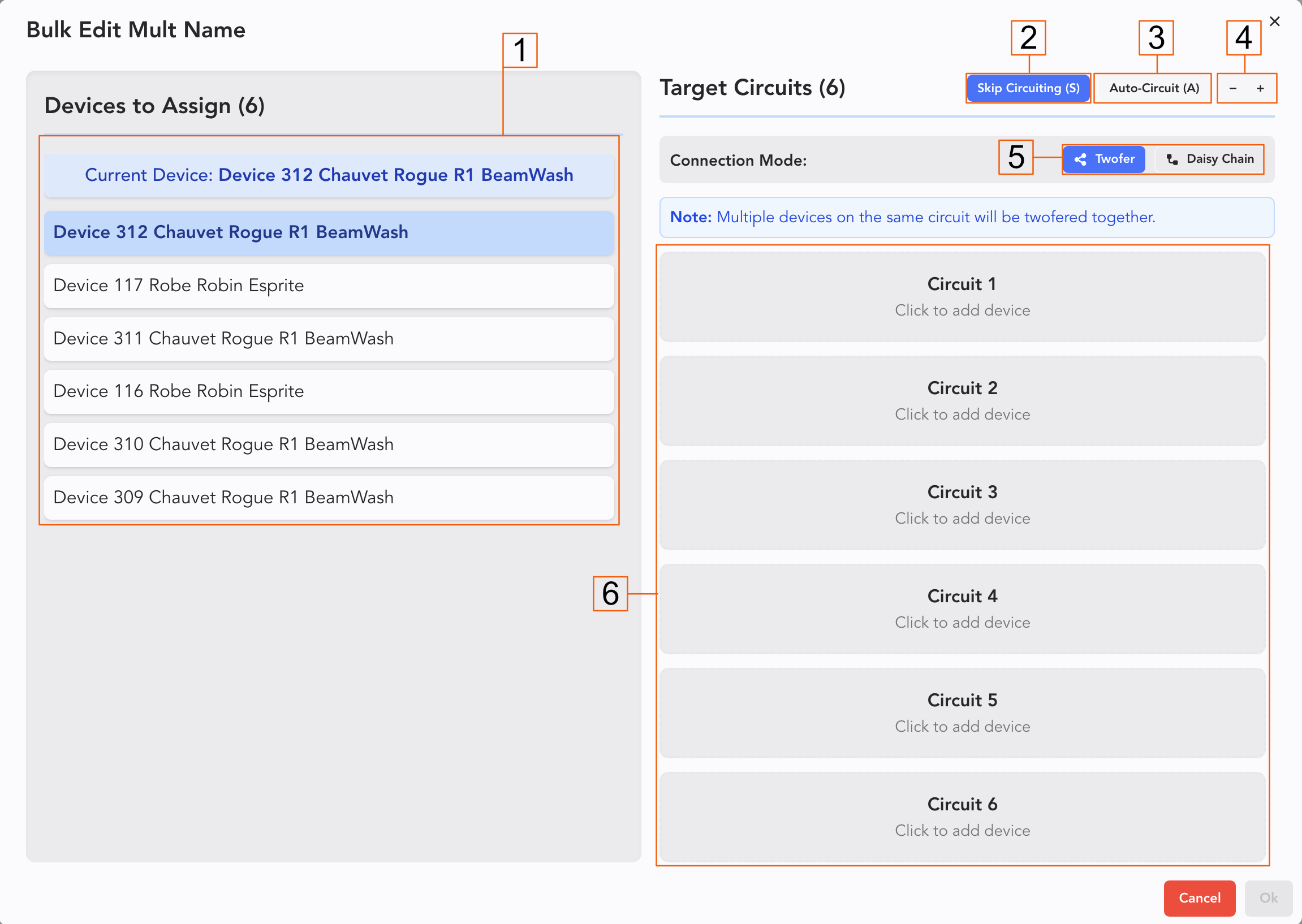
- These are unassigned devices.
- Skip Circuiting-- If you want to assign a Mult now and assign circuits later, press this.
- Auto-Circuiting will assign circuiting in the order of selection.
- You can add or subtract circuits from your Mult here.
- Twofers/Daisy Chain-- Toggle between Twofers or Daisy chains when you assign more than one light to a circuit.
- The circuits.
Click Ok when done.
TIP
If assigning Mults first and circuits later is a regular part of your work flow, check out the Bulk Edit Mult Name Popup setting in Worksheet Settings.
Editable Cable Columns
Found near the bottom of the Columns Side Panel are columns for cables you can add to the Worksheet that are editable.
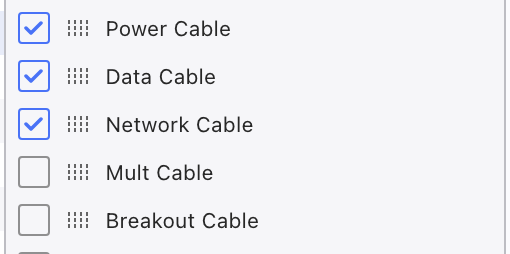
These columns can be used on their own, but if you later add connections in Cable Plan (for instance) the data is now linked. So if you later erased the connection in Cable Plan, the data in the column would go with it.
Interacting with these Columns in the Worksheet is similar to others: Type data into the field directly for new values. If you wish to match an existing, fields will auto-populate based off past entries.