Appearance
Printing Labels
Touch the Print button.  A popup opens.
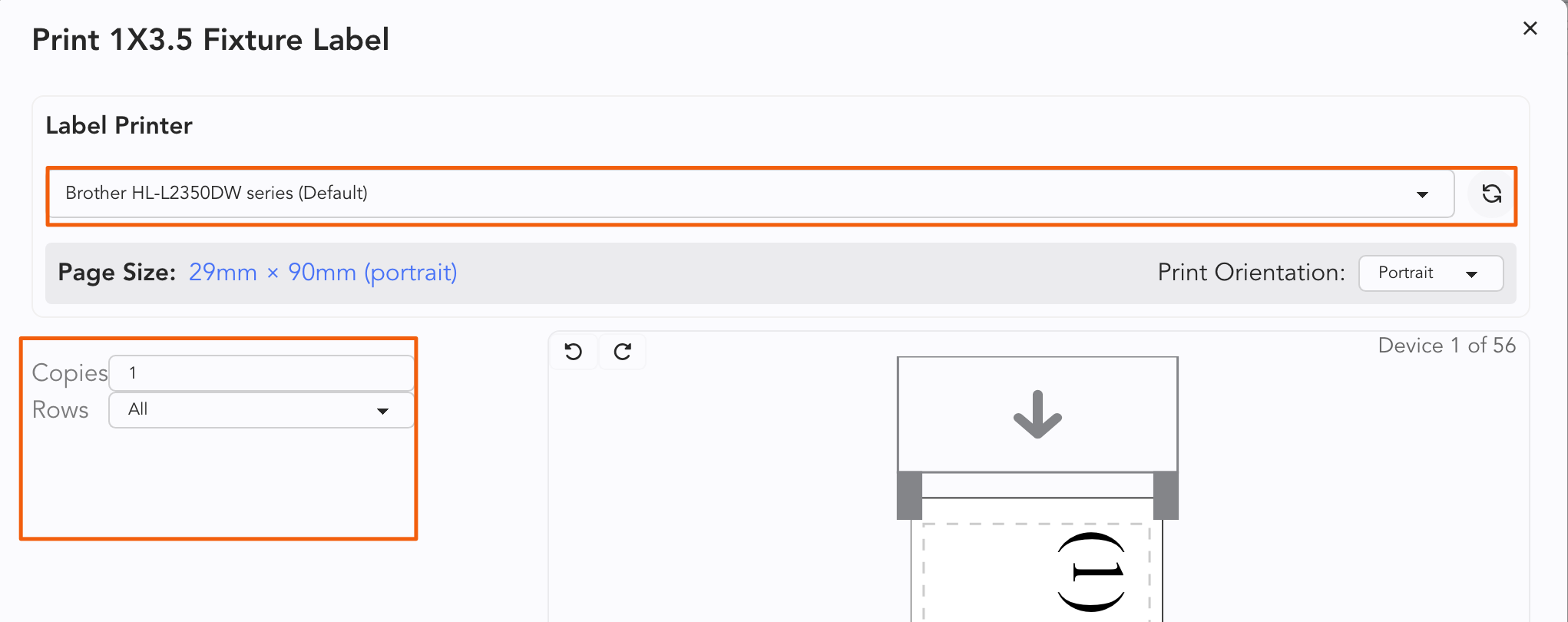
From the top pull-down menu, make sure you have selected the correct printer. This example features a roller printer.
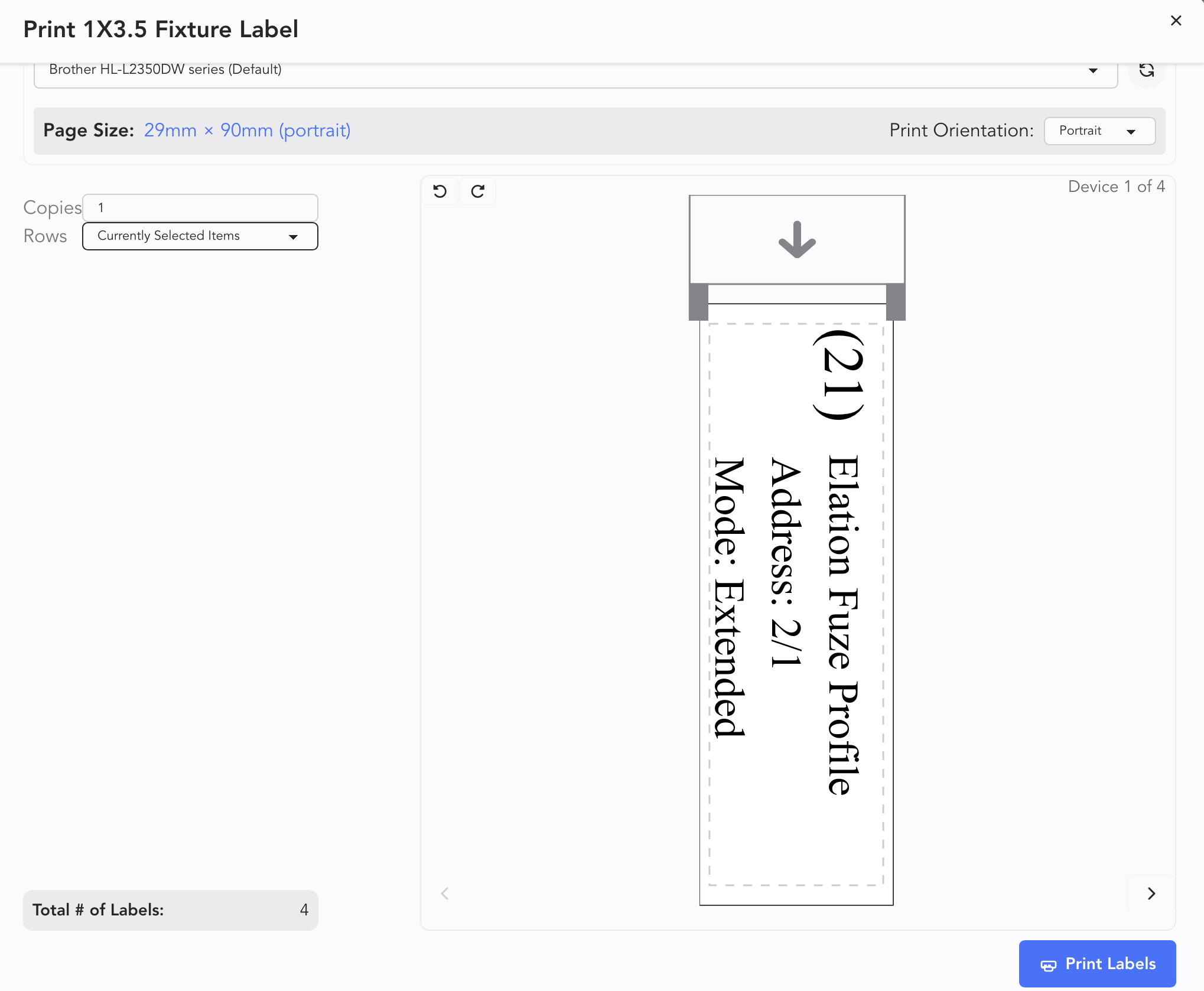
From the lower pull-down menu, you will choose what will be printed.
When you've made your choices, you may need to scroll down in the popup to see the Print Labels button.
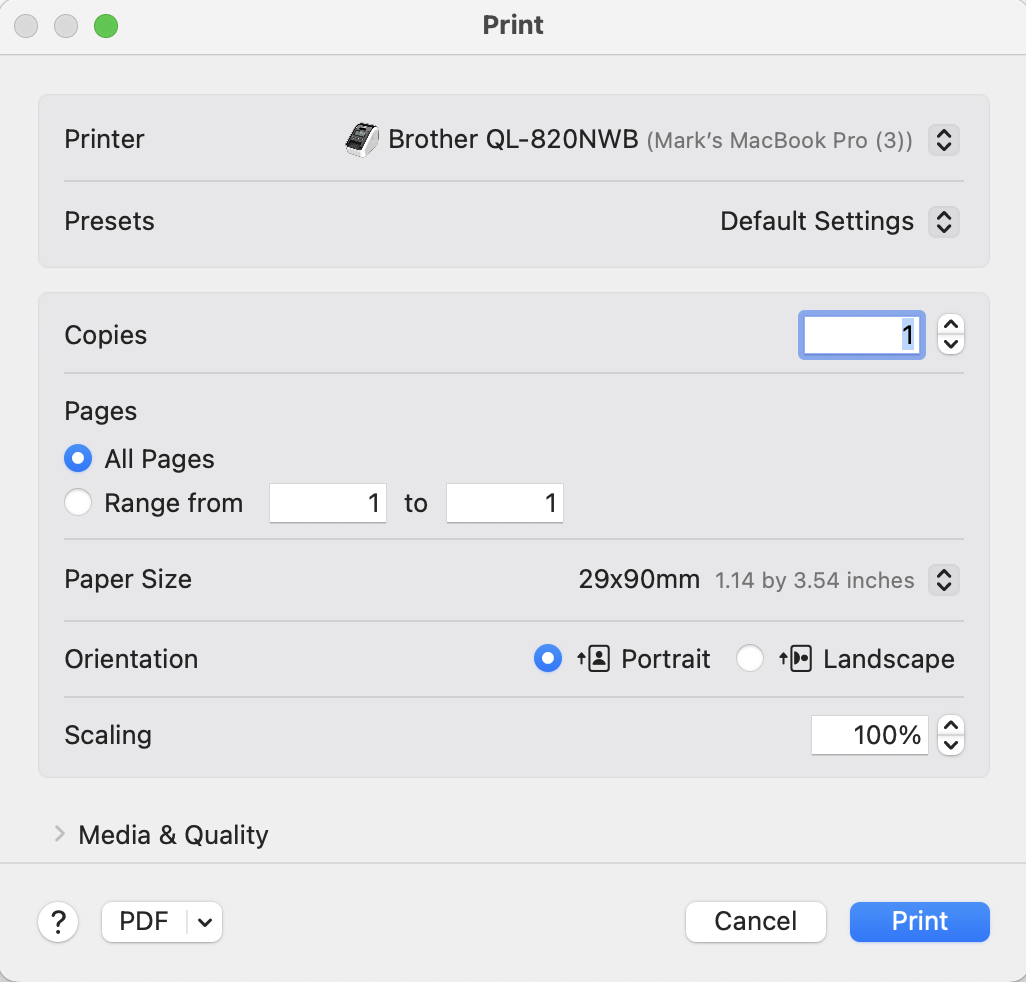
Your computer's print dialogue will pop up here. If you need no changes, press Print.
TIP
You can print a label intended for a sheet by going through the print dialogue and selecting portrait.